
No Downloads, No Problem: The Real Cost of Client Friction in Sales
Even minor technical hurdles can directly reduce sales conversions and revenue. Instant screen sharing compresses the sales cycle by eliminating delays and merging demo and discovery calls. Select platforms that prioritize ease of access for prospects over unnecessary internal features. Use no-download screen sharing for sales to deliver tailored, real-time guidance and build trust. Avoid tools that require downloads or complex logins to ensure maximum reach and minimal client friction.
You’ve done the hard work. You’ve prospected, qualified the lead, and finally got them on the phone. The conversation is flowing, rapport is building, and you’re ready to show them the solution that will solve their problem. You say, “Let me just share my screen so I can show you exactly how this works with no-download screen sharing for sales.”
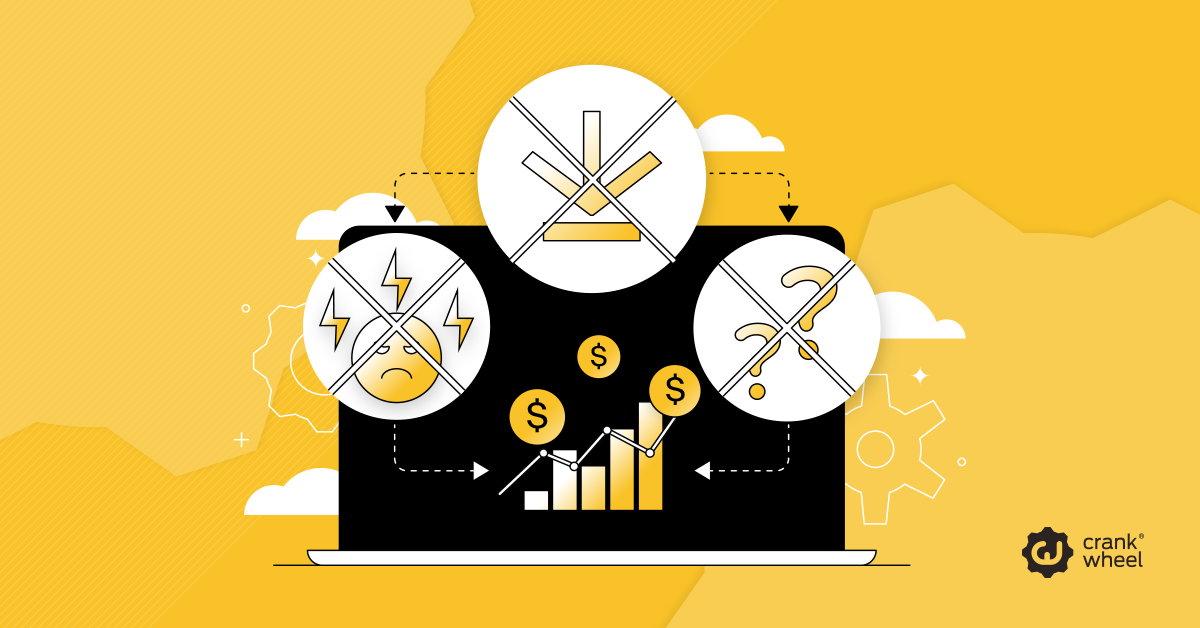
And then, the momentum hits a brick wall.
“Hold on, it’s asking me to download something,” the client says. “Do I need an account? What’s my password again? Wait, my firewall is blocking it.”
Suddenly, you aren’t selling anymore. You’re tech support. The excitement drains from the call, replaced by frustration and awkward silences. This scenario is all too common in modern sales, and while it might seem like a minor annoyance, it is a silent killer of revenue.
In a sales environment where every second counts, technical hurdles—often called “client friction”—can be the difference between a closed deal and a ghosted prospect. This post explores the real cost of these barriers and how shifting to a frictionless, no-download screen sharing for sales approach can transform your sales cycle.
The Hidden Sales Killer: Quantifying the Cost of Client Friction
Client friction is any resistance or hurdle a potential customer encounters during the buying process. In the context of virtual sales, this usually manifests as the requirement for clients to download software, install plugins, or create accounts just to view a presentation or demo.
While a five-minute delay might seem negligible, the cumulative effect on your sales pipeline is devastating. Let’s look at the math.
The Mathematics of Momentum
Imagine a high-volume sales team where each rep conducts 20 calls a day. If 50% of those calls involve a screen share that requires a download, and that process takes an average of 3 minutes, you are looking at 30 minutes of lost selling time per rep, per day.
Over a month, that is roughly 10 hours—more than a full workday—spent waiting for progress bars instead of selling.
But the cost goes beyond wasted time. It impacts conversion rates. Data consistently shows that conversion rates drop significantly with every second of delay. If a complicated setup process causes only 1 in 20 prospects to give up or lose interest, that is a 5% direct hit to your potential revenue. For an enterprise generating $10 million annually, that “minor” friction is a $500,000 leak.
The Psychology of “No”
Beyond the numbers, friction provides a psychological exit ramp for your prospect. Buying decisions are often emotional and momentum-based. When you force a prospect to jump through technical hoops, you interrupt the emotional journey. You force them to switch from “visionary mode” (imagining how your product helps them) to “analytical mode” (figuring out software permissions).
Once that switch flips, it is incredibly difficult to get them back into a buying state of mind. By eliminating the download using no-download screen sharing for sales, you keep the door closed to hesitation and open to opportunity.
Slashing the Sales Cycle: How No-Download Screen Sharing for Sales Accelerates Deals
Time kills deals. The longer a sales cycle drags on, the more likely a competitor will swoop in, or the client will simply decide to do nothing. One of the most effective ways to compress this cycle is by adopting “instant-on” screen sharing technology.
The Insurance Broker Scenario
Let’s look at the insurance industry as a prime example. Insurance products are complex, often requiring visual aids to explain premiums, deductibles, and coverage tiers.
The Old Way (High Friction):
- Broker calls the prospect.
- Broker suggests a video meeting to show comparison charts.
- Prospect is busy or wary of being on camera.
- Broker emails a calendar link for next Tuesday.
- Tuesday comes; the prospect has forgotten the context or no longer feels the urgency.
- The meeting happens (if they don’t no-show), but valuable days have been lost.
The New Way (Zero Friction):
- Broker calls the prospect.
- Broker says, “I have a chart that explains this perfectly. I’m texting you a link right now—tap it, and you’ll see my screen instantly.”
- Prospect clicks the link on their phone. No app store. No login.
- Broker walks them through the policy while the interest is highest.
- Application is signed during the first call.
Reducing Time-to-Demo
The metric that matters here is “Time-to-Demo.” Traditional conferencing tools often measure this in minutes or hours (due to scheduling). No-download screen sharing for sales solutions reduce this to seconds.
By removing the need for installation, you effectively merge the discovery call and the demo call into a single interaction. This maintains critical sales momentum and eliminates the administrative back-and-forth of scheduling follow-ups. You aren’t just saving five minutes on a call; you are often shaving days or weeks off the total sales cycle.
A Comparative Look: Top Virtual Meeting Platforms for High-Volume Sales
Not all virtual meeting platforms are built for the velocity of modern sales. When evaluating tools, it is crucial to distinguish between platforms designed for internal team collaboration and those built for client-facing sales.
Here is how they stack up when viewed through the lens of client friction:
Category A: The “Heavy” Clients (Requires Downloads/Installs)
Examples: Zoom, Microsoft Teams, Webex
These are powerful tools excellent for scheduled webinars or internal team meetings. However, for cold outreach or high-volume sales, they introduce significant friction.
- Pros: Feature-rich, widely recognized.
- Cons for Sales: Requires the prospect to have the app installed. If they don’t, they face a download prompt. Mobile experiences often force an app store visit.
- Friction Level: High.
Category B: Browser-Based but Account-Heavy
Examples: Google Meet
These are lighter than Category A but still often require the user to log in (e.g., must have a Google account) or navigate a “lobby” before joining.
- Pros: No software installation usually required on desktop.
- Cons for Sales: Mobile experience can still be clunky; account requirements can be a barrier for B2B clients with strict IT policies.
- Friction Level: Medium.
Category C: Zero-Install, Instant Access (The Sales Specialist)
Examples: CrankWheel
These tools are purpose-built for sales velocity. They prioritize the prospect’s ease of access over heavy feature sets.
- Pros: Zero downloads for the viewer. Works on any browser and any device (mobile, tablet, desktop). Instant SMS or email joining.
- Cons for Sales: May lack some of the heavy collaboration features of enterprise suites (like breakout rooms), which are rarely used in 1:1 sales.
- Friction Level: Zero.
The Verdict: For high-volume sales professionals who need to strike while the iron is hot, Category C tools like CrankWheel offer a distinct competitive advantage. They ensure that technology never gets in the way of the conversation.
Actionable Guidance: Using No-Download Screen Sharing for Sales in Personalized Client Outreach
Reducing friction isn’t just about speed; it’s about enabling a more personal, responsive style of selling. When you aren’t worried about tech hurdles, you can use visuals more spontaneously to build trust.
Here are three actionable ways to use no-download platforms to personalize your outreach:
1. The “Impulse” Walkthrough
You are on a phone call, and the client asks a specific question about a line item in your proposal.
- The Move: Instead of saying, “Let me email you the PDF and you can look at page 4,” say, “Let me show you exactly what that covers.” Send a CrankWheel link via SMS.
- The Result: You resolve the concern instantly using visual proof, turning a potential objection into a moment of clarity.
2. The Personalized Case Study
The prospect mentions they are in the healthcare industry and worried about compliance.
- The Move: Instantly pull up a relevant case study or a compliance certificate on your screen. Share it immediately.
- The Result: You prove you are listening and have specific expertise in their field. You aren’t giving a generic pitch; you are having a tailored consultation.
3. Co-Navigating Complexity
If you sell software or complex services, clients often get overwhelmed by pricing pages or tiered options.
- The Move: Use the “remote control” feature (carefully) or a virtual pointer to guide them through the options. “I’m highlighting the Pro plan here—this is the one that includes the feature you just asked about.”
- The Result: You act as a guide rather than a salesperson. This collaborative approach builds rapport and positions you as a partner in their success.
By transforming screen sharing from a “formal presentation tool” into a “dynamic conversation aid,” you stop pitching at your clients and start collaborating with them.
Future-Proofing Your Sales Stack: Key Mistakes to Avoid with Client-Facing Tech
As you build your sales technology stack for the future, it is vital to avoid falling into the trap of prioritizing internal preferences over customer experience.
Mistake 1: Choosing Tools Based on Internal Features
Don’t pick a tool because your team likes the chat emojis. Pick the tool that is easiest for your grandmother or least tech-savvy client to use. If your least tech-savvy prospect can’t join in under 10 seconds, the tool is costing you money.
Mistake 2: Ignoring Mobile Users
More decision-makers than ever are taking calls on the go—in cars, airports, or between meetings. If your screen sharing tool doesn’t work flawlessly on a smartphone browser without an app, you are alienating a massive segment of your market.
Mistake 3: Underestimating the “Small” Delays
A 30-second delay to download a plugin might not seem like much to you, but to a busy prospect, it signals that working with you is going to be “work.” Future-proof your stack by choosing tools that respect your client’s time above all else.
The Bottom Line
The most effective sales stack is the one that is invisible. It should facilitate the connection, not become the focus of it. Prioritizing a frictionless, no-download screen sharing for sales client experience is essential for building rapport and closing sales in the modern digital landscape.
Don’t let clunky software be the reason you lose the deal. Embrace the friction-free revolution and watch your sales cycle accelerate.
Ready to improve your screen sharing tool set? Sign up for CrankWheel for free today.