
Your Sales Video Platform's CRM Integration Is Probably Broken
- We see many sales video platforms promise seamless CRM integration, but only deliver basic, one-way data pushes.
- Broken workflows force sales reps to manually update their CRM, lowering CRM adoption and effectiveness.
- RevOps leaders have to audit their tech stack using a strict technical checklist to ensure bidirectional syncing, custom object support, and secure authentication.
- A reliable tool like CrankWheel ensures that screen shares and meeting data log into CRMs like Salesforce and HubSpot.
You paid for the video sales platform. You have it integrated with Salesforce or HubSpot (or any of the other million CRMs out there). On paper, everything connects. Data should be flowing and workflows should be seamless. In practice, your reps are still logging meetings by hand.
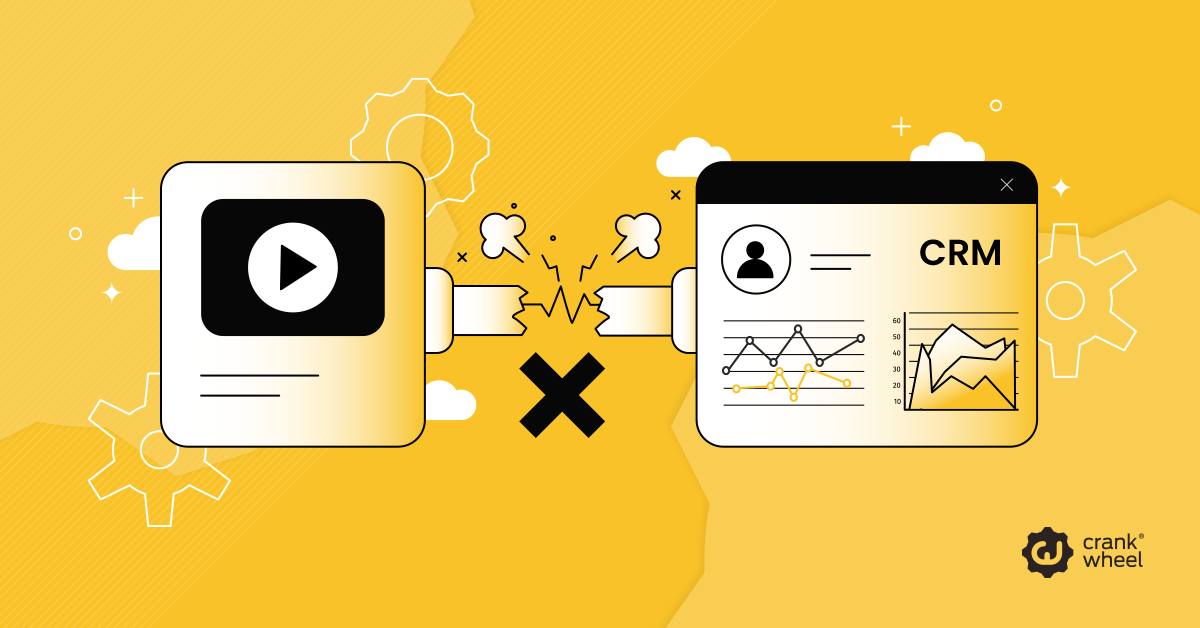
You wanted a streamlined process. You ended up with a logistical headache. Sound familiar?
Many video sales tools promise a seamless connection with major CRMs like Salesforce and HubSpot. They promote their ability to plug into your existing systems. However, the reality often involves unreliable syncing and surface-level connections that fail to capture the data you need.
We believe RevOps leaders have to look beyond marketing claims when choosing their video sales platform. A rigorous technical checklist should be used to evaluate true video platform integrations. By holding your software vendors to a higher standard, you can repair broken workflows and empower your sales team to focus on what they do best: closing deals.
API Marketing Fluff Is a Real Category
The phrase “integrates with Salesforce” has been stretched to cover a wide range of functionality. Most of it is inadequate. You need to know what to look for to avoid these pitfalls.
What is API Marketing Fluff?
Software companies frequently boast about their “seamless integrations.” The catch we see is that these tools often only offer basic, one-way data pushes. They might send a simple note that a meeting occurred, but they fail to pull necessary context from the CRM or update specific opportunity stages.
This is API marketing fluff. It’s a connection that looks good on a pricing page, but falls apart during daily use.
Common Friction Points in Sales Workflows
When integrations lack depth, your sales process suffers. That’s not our opinion. It’s fact.
Your team notices unreliable meeting activity syncing and dropped lead data. For example, a prospect watches a sales video, but that engagement data never makes it to their specific contact record. This creates siloed information where marketing and sales operate on completely different facts.
The Hidden Costs of Broken Workflows
It’s not just subscription fees. Broken integrations carry a high organizational cost. When reps can’t trust that their activity is being captured automatically, they stop relying on the integration and go back to manual entry. CRM adoption drops. Data quality follows. And your revenue target will inevitably take a hit.
Actionable Solutions for Tech Stack Optimization
Optimizing your sales tech stack requires identifying the root causes of sync failures and implementing practical, scalable solutions. Here are some ways to address the most common technical hurdles.
Why Is My Video Meeting Data Not Syncing to HubSpot?
If your video meeting data fails to sync with HubSpot, the issue usually stems from incorrect field mapping or expired API tokens. First, check your integration settings to make sure the video platform has the correct permissions to write to HubSpot’s engagement objects. Re-authenticate the connection using OAuth to refresh the security tokens if you need to. Then check that the meeting information is being mapped to the appropriate fields in HubSpot. Finally, verify that the email address of the prospect in the video tool matches the primary email listed in their HubSpot contact record.
How to Automate Video Logging in Salesforce
To automate sales video logging in Salesforce, you must map the video platform’s output to specific Salesforce Task or Event objects. Go into your integration dashboard and assign video views to trigger a specific activity type, such as “Video Played.” You can then use Salesforce Flows to automatically update the Lead Status or trigger a follow-up task for the assigned sales rep based on that newly logged activity.
How to Audit What You Already Have
Take control of your data by auditing your existing tools. Follow these steps to find data leaks:
- Run a test meeting and record a short video.
- Track the data flow from the video platform to the CRM.
- Check the contact record, opportunity record, and activity timeline to see if the information populated correctly.
- Identify any missing custom fields or incorrect activity labels.
Fixing these issues mid-contract is painful, but it’s possible.
Our Technical Checklist for True CRM Integration
Run a potential sales video platform vendor through this practical checklist before committing to them. Be sure to ask the vendor to demonstrate each one in a live environment, not a prepared demo against a clean sandbox.
Bidirectional syncing. Does the platform pull data from your CRM and push to it? One-way syncing creates an immediate data integrity problem. Reps need context from the CRM going into a meeting, and the CRM needs activity data after. Both directions are required.
Activity logging specificity. When a meeting or screen share ends, where exactly does it log in the CRM? Which object, which record? Does it distinguish between a completed video meeting and a screen share, or does it collapse both into a generic “activity”? Vague activity logging creates noise that makes your CRM harder to use, not easier.
Custom object support. If your revenue model uses custom objects in Salesforce or custom properties in HubSpot, verify the integration can map to them. Most entry-level integrations only support standard objects. If your deal process touches anything custom, you will hit a wall.
Workflow trigger capability. Can watching a video or completing a screen share trigger a CRM workflow, such as changing lead status or updating a deal stage? This is where integrations move from passive data logging to active sales acceleration. A tool that can’t trigger native CRM workflows is a reporting tool, not a productivity multiplier.
Authentication and field-level security. The integration should authenticate via OAuth and respect your CRM’s existing permission sets. If it requires a system admin credential to function, or bypasses field-level security to write data, that’s a compliance and data integrity risk worth taking seriously.
Asking these questions directly, and insisting on a live demonstration rather than a documentation link, separates vendors who have actually built their integration from vendors who are reselling marketing language.
Fix Your Video Data Hygiene to Close More Deals
Fixing your data hygiene starts with demanding more from your software vendors. By applying a strict technical checklist, you can eliminate manual data entry, repair broken workflows, and give your sales team the reliable tools they need to operate efficiently. When your systems communicate flawlessly, your team can focus on building relationships and closing more deals.
You deserve a tech stack that works seamlessly. If you are tired of unreliable video integrations, try CrankWheel. With robust, native connections to major CRMs, CrankWheel ensures your screen shares and meeting data log flawlessly every time. Explore CrankWheel today to streamline your operations and empower your sales team.
FAQs About Video Sales Tool CRM Integrations
What makes a CRM integration bidirectional?
A bidirectional integration allows two software platforms to share and update information simultaneously. If you update a contact’s email in your video platform, it updates in the CRM, and vice versa.
Why is manual data entry bad for sales teams?
Manual data entry consumes valuable time that sales reps could spend selling. It also introduces a high risk of human error, leading to inaccurate forecasting and poorly targeted follow-ups.
Can I fix a broken CRM integration myself?
Often, you can fix basic sync issues by re-authenticating the app, updating API keys, or correcting field mapping. However, if the vendor’s API is fundamentally limited, you will need to switch to a more robust platform.
What should a video sales tool log in my CRM after a meeting?
At a minimum, it should log the meeting type, duration, timestamp, and a link to the recording. Strong integrations also capture engagement data and automatically tie the activity to the correct contact, deal, or custom object.
Can video sales tools trigger workflows inside my CRM?
Yet, some advanced integrations can trigger workflows like updating deal stages, assigning follow-ups, or enrolling contacts into sequences based on meeting activity. This turns your video tool from a passive recorder into an active part of your sales process.